Downstream Model Configuration View
Once you click New Downstream Model button, you will configure the Downstream Model. The view is divided into several blocks that need to be configured.
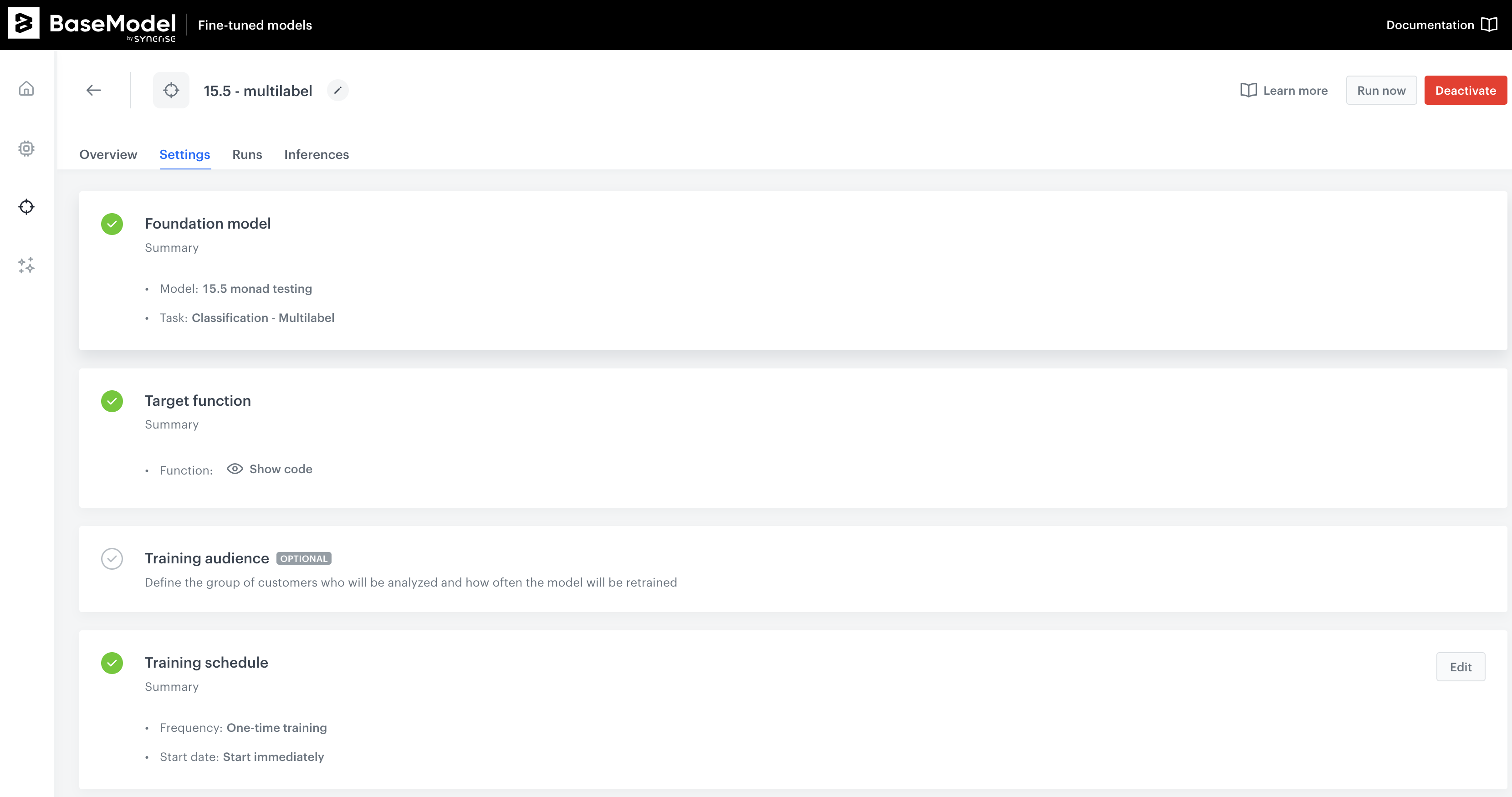
1. Basic Settings
Purpose:
In this section, you define the foundational model and type of Downstream Model you are setting up.
Key Components:
- Model Selection: Choose the model that will be used for analysis by clicking on the "Select model" button.
- Model Type: Define the type of your Downstream Model by selecting from the dropdown menu under "Choose type."
Once the model and model type are selected, click on the "Apply" button to save these basic settings.
2. Target Function
Purpose:
Define the target function for model training.
Key Components:
- Target Function Editor: This is where you will define the target function using Python code. The editor provides a space to write and validate your function.
Note: You must complete the Basic Settings before you can define the target function. If the Basic Settings are not filled out, a warning message will be displayed.
After defining the target function, click "Apply" to save your changes.
3. Training Audience (Optional)
Purpose:
Define the group of customers who will be analyzed and determine how often the model will be retrained.
Key Components:
- Audience Filter for Training: This section allows you to narrow down the group of customers based on specific filters. The model selected in the Basic Settings will initially define this group.
Note: Similar to the Target Function, the Basic Settings must be filled before you can define the training audience. If not, a warning message will appear.
Click "Apply" after defining the training audience.
4. Training Schedule
Purpose:
Set the training schedule for your Downstream Model.
Key Components:
| Option | Category | Description |
|---|---|---|
| One-time Training | Frequency | The model will be trained only once after launching the Downstream Model. |
| Continuous Training | Frequency | The model will be retrained according to a schedule that you define. |
| Start Immediately | Start | Begin the training as soon as the Downstream Model is launched. |
| Schedule Start | Start | Set a specific date and time for when the training should begin. |
Automatic retraining
Enable Trigger training automatically when a new upstream version is available to retrain the model each time a new version of the upstream data source or Foundation Model is published.
Warning
The Target Function must be defined before you can set the training schedule. A warning will be displayed if the Target Function is incomplete.
Once configured, click "Apply" to set the training schedule.