This section describes Downstream Model interface and configuration in detail.
Once you navigate to Downstream Models after you log into BaseModel, you will see a listing of all models created so far.
Interface Overview: Downstream Models in BaseModel
The Downstream Models interface in BaseModel provides users with a comprehensive view and control over Downstream Models used for model training, scoring, and other tasks. Below is a breakdown of the key components of this interface:
1. Navigation Panel (Left Sidebar)
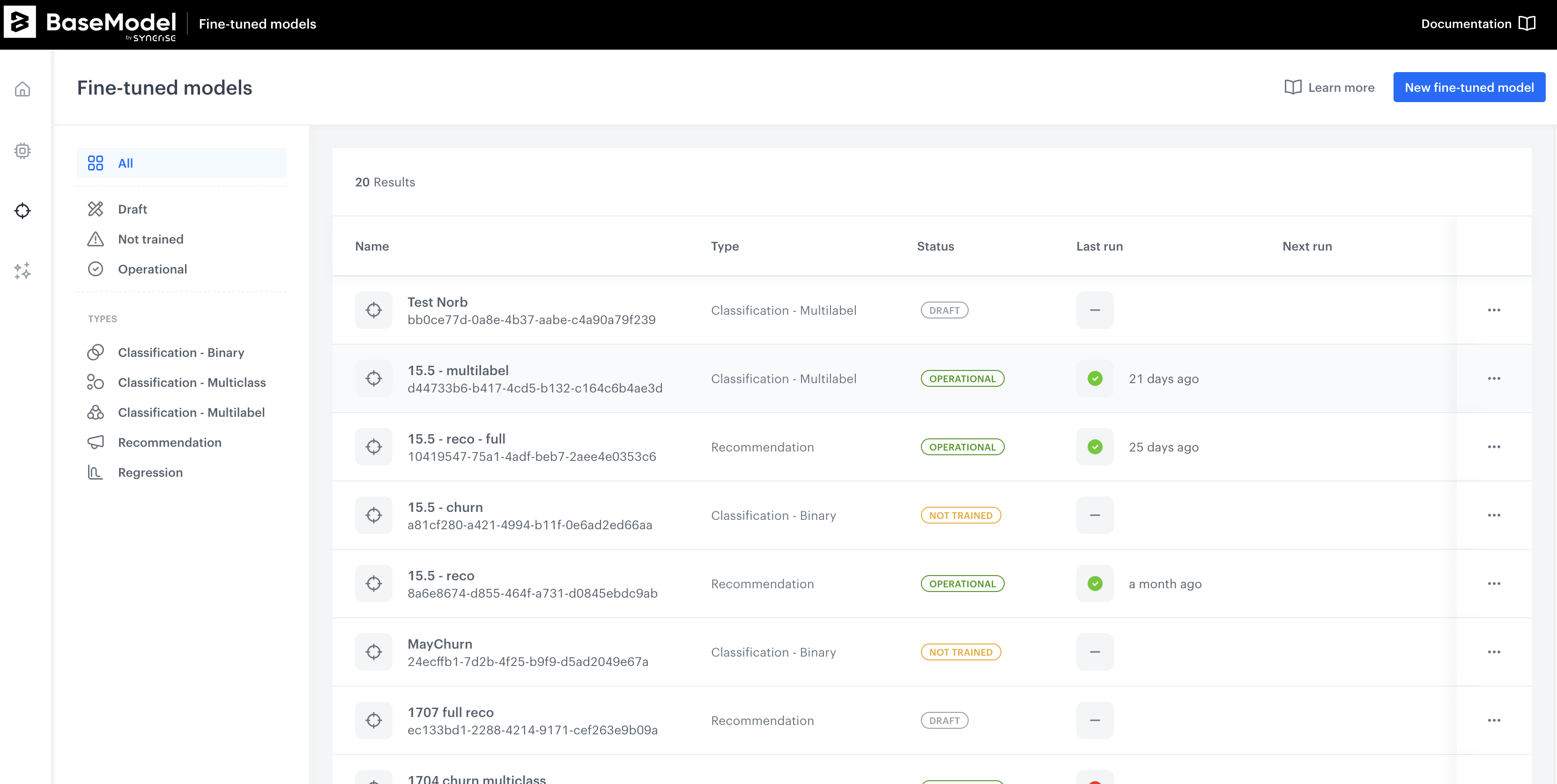
Purpose:
The left sidebar contains filtering options to help users organize and view specific models.
Filter by Status:
| Status | Description |
|---|---|
| Scheduled | Models that are planned for training. |
| Training | Models that are currently being trained. |
| Ready | Models that have completed training and are ready for use. |
| Training Failed | Models where training encountered errors. |
| Draft | Models that are still in draft mode. |
Filter by Type:
| Type |
|---|
| Classification - Binary |
| Classification - Multiclass |
| Classification - Multilabel |
| Recommendation |
| Regression |
2. Downstream Models List (Main Content Area)
Purpose:
Displays a list of all Downstream Models with key details about each.
Key Components:
| Column | Description |
|---|---|
| Name | The identifier for each Downstream Model. |
| Type | Indicates whether the model is for regression, classification, or recommendation. |
| Status | Displays the current state of the model (e.g., "READY"). |
| Last Run | Shows when the model was last executed. |
| Next Run | Displays the next scheduled run, if applicable. |
| Upstream | Indicates the source dataset or model used as an upstream input. |
| Edited | Shows the last modification date. |
Additional Features:
- Search and Filter Results: Displays the total number of results (e.g., "155 Results"), which updates based on applied filters.
- Model Actions (Three Dots Menu): Each model has an options menu where users can perform actions like editing, deactivating, and quickly viewing the upstream model.